qrish

For agencies & studios

Every client's QR codes. One place.

Run print campaigns for all your clients from one account: a workspace each, the right people in each, and links you can fix after the print run.

Client codes live in five logins

One client's codes sit in a freelancer's account, another's in a free generator nobody remembers the password for.

With qrish

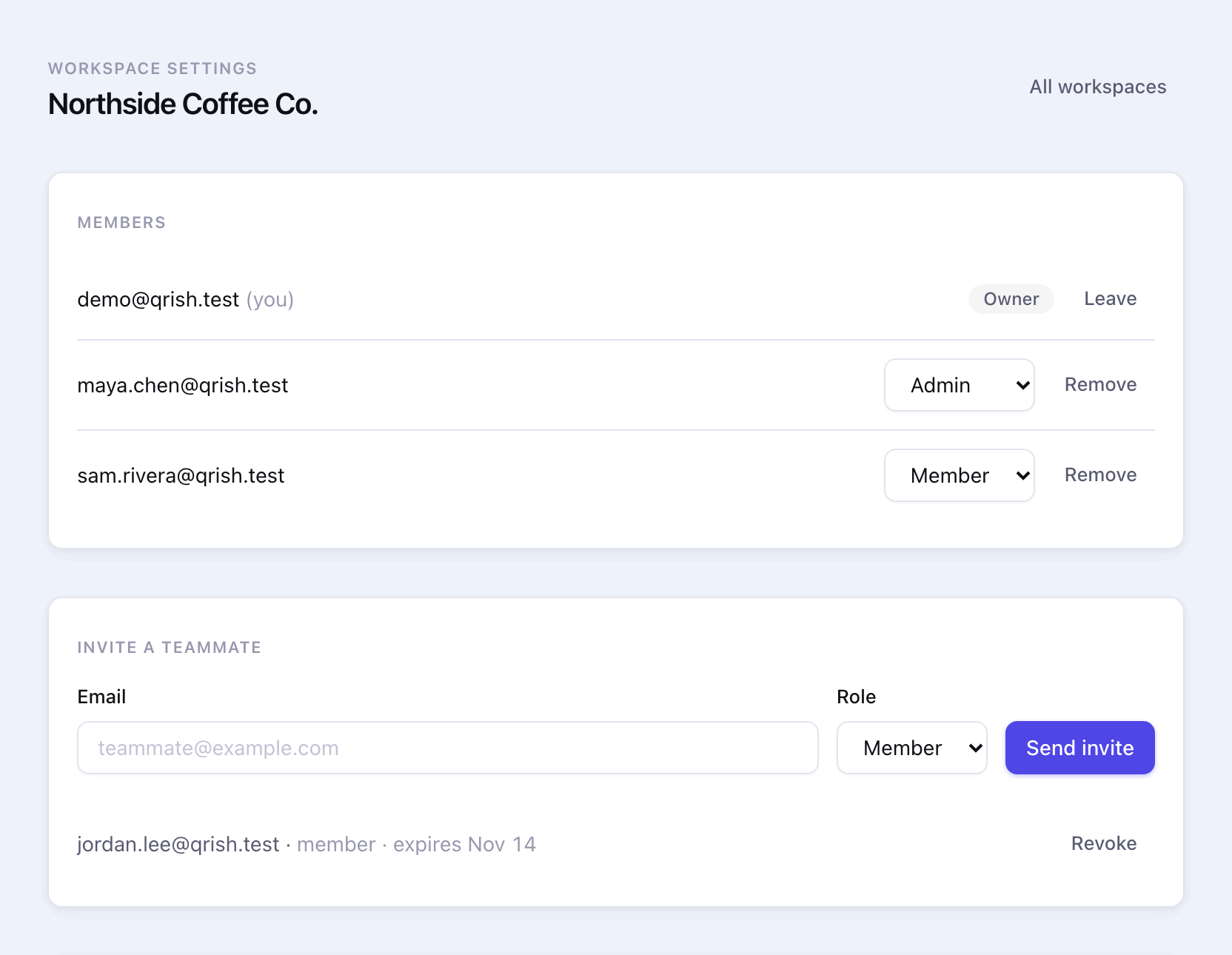
Give each client a workspace. Invite teammates and client contacts as owner, admin or member, so access follows the account, not the person.

The link changes after the print run

The client renames a landing page the week after 20,000 leaflets ship. Someone has to tell them it's too late.

With qrish

Dynamic codes can be edited after printing. Every destination change is logged with its date, so you can show what changed and when.

Proving the campaign worked

Clients want to know if print drove traffic, and screenshots of a generic dashboard don't convince anyone.

With qrish

UTM tags on every dynamic code carry the campaign into the client's own web analytics. Export every scan as CSV, and compare campaigns side by side on the Insights page.

How it works

Three steps, then it runs itself.

  1. Set up a workspace per client

    Create the workspace, invite your team and the client's marketing contact, and pick their roles.

  2. Generate the campaign

    Make codes one at a time, or upload a CSV and download a ZIP. Add UTM tags so every scan is attributed.

  3. Report and adjust

    Watch scans by day and device, fix links after printing, and export the data for the client report.

The qrish workspace settings showing team members with owner, admin and member roles
A workspace per client, with roles for your team and theirs.

Recommended setup

What we'd set up for an agency

Keep clients separate, produce codes in volume, and wire scans into your own tools.

Teams Pro

Workspaces & roles

One workspace per client. Owners, admins and members, with email invitations.

Bulk Pro

CSV to ZIP

One row per code: name, type, destination. Get a ZIP with an SVG and a PNG for every row.

Developers Pro

REST API & signed webhooks

Create and update codes from your own tools, and receive an HMAC-signed webhook for every scan. A polling feed works with Zapier and Make.

Tracking

UTM builder

Set source, medium and campaign on each dynamic code. The tags are added to the link at scan time.
Items marked Pro are part of the Pro plan. Compare plans

Example use case

A small agency runs a 12-store print campaign

Picture a three-person studio producing in-store posters for a regional retail client with twelve shops.

  • The client gets its own workspace. The studio's designers are admins; the client's marketing manager is a member.
  • A CSV with one row per store produces twelve dynamic codes in one ZIP, each tagged with utm_source set to its store.
  • When the client changes the offer page mid-campaign, the studio repoints all twelve codes. No reprint.
  • A webhook posts each scan into the studio's reporting sheet as it happens.
  • At the end, the scan CSV and the client's own web analytics tell the same story.

An illustrative scenario showing how the features fit together. Not a customer story.

FAQ

Questions, answered

Can each client have their own workspace?

Yes. Create as many workspaces as you need and invite people to each one as owner, admin or member. A workspace needs at least one owner.

Can I remove the qrish branding?

Yes. Free dynamic codes carry a small "Made with qrish" mark. Pro removes it, so the codes carry only your client's design.

What can the API do?

The REST API is token-authenticated and lets you create, read and update codes and fetch their analytics. Signed webhooks fire on every scan, and a polling scans feed works with Zapier and Make.

Can bulk codes have different destinations?

Yes. Each CSV row sets its own name, type and destination.

How much does Pro cost?

Pro is $19 a month or $190 a year per workspace, with 5 seats, unlimited dynamic codes and no qrish branding. Every new account starts with a 14-day Pro trial.

Bring your clients' codes under one roof.

Start a 14-day Pro trial for bulk, the API and team seats. No card needed.